

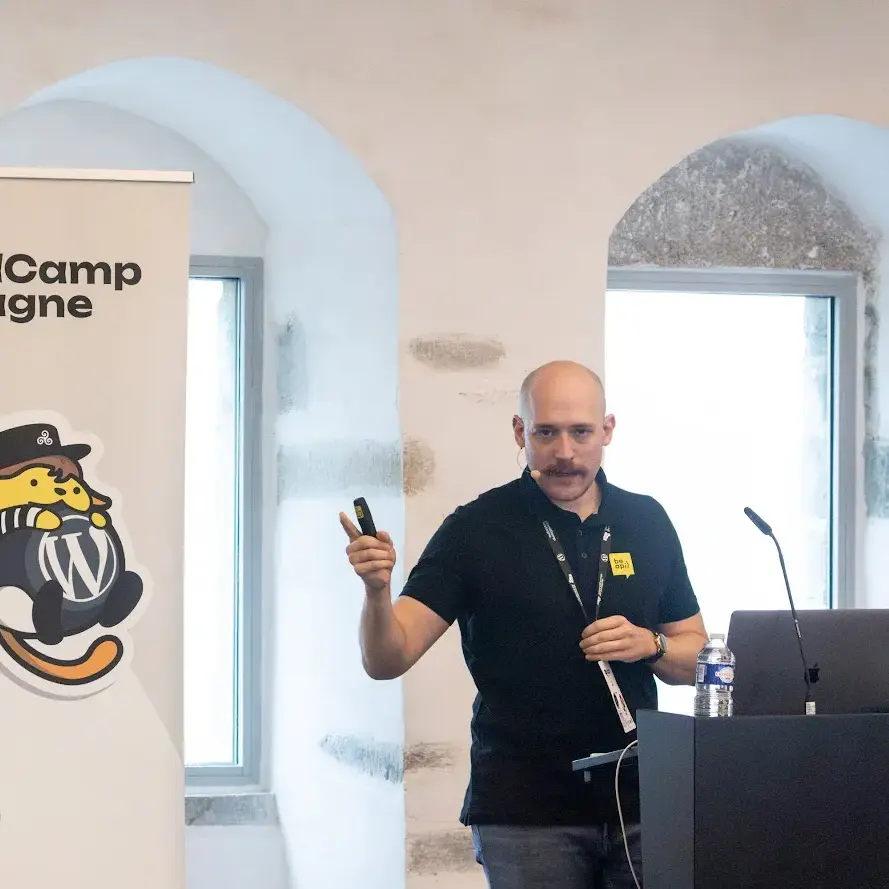
We are Jason and Nicolas.
We have spent the better part of two decades building WordPress sites for clients, contributing to core, and organising community events across Europe.
We have opened a lot of media libraries. They were all a mess. At some point, we stopped accepting that as normal and built Mediapapa.
Jason Rouet
Product lead · President of WPFR · Regular WCEU and meetup organiser.
Nicolas Juen
Technical lead · WordPress core contributor · Partner at Be API, a WPVIP agency partner.
Why we built it
There was no single moment. More a slow realisation that kept repeating itself across every client site. Year after year, a media library full of files nobody understood and nobody dared to touch. Images uploaded ages ago. Duplicates nobody noticed. Files that might be in use somewhere — or might not. Impossible to say without clicking through every page by hand.
Every site owner knows that feeling. The files pile up, you have no idea what is safe to remove, so nothing ever gets removed. Most people treat the media library like a digital attic and quietly close the door.
After years of building complex WordPress projects at Be API, we had seen the same pattern repeat with no reliable tool to deal with it. We looked at what existed. Some plugins solved one specific problem well — compression, renaming, duplicate detection. But nothing treated the media library as a whole.
That is what we decided to build.
Should be in core
Julio Potier, Secupress founder
That kind of plugin is a mu-plugin, yes, must-use. I had several duplicated media because of languages etc, this plugin saved me from filling up my server storage.
What Mediapapa is for
Understand
Open your media library and actually know what is in there — what is healthy, what is unused, what needs your attention.
Clean
Remove duplicates, rename files, recover wasted storage — with tools that tell you what is safe to act on before you touch anything.
Trust
Nothing breaks without warning. Before any file operation, Mediapapa shows you every place that file is used across your site.
The trust problem
The media library sits at the core of every page, and people know it. One wrong deletion and images vanish across the whole site. That is not an irrational feeling. It has happened to most people who have managed WordPress sites long enough.
What we heard early from users was not “your product is missing a feature.” It was “I am not sure I trust this yet.” That is a different problem to solve entirely.
So we built the safety side first and made it visible. Before you remove anything, Mediapapa shows you exactly where that file lives across your site. References update automatically when a file changes. Nothing happens without you seeing it first.
“Trust is not a box you tick once. You rebuild it at every step.”
What we are building
The WordPress Media Library has been stable for years. Reliable, yes — but stability and usefulness are not the same thing. The way people work with media has changed: more file types, higher quality images, stock photos, podcasts, videos. The gap between what is built in and what teams actually need has quietly grown.
Most tools in this space sell compression. Smaller files, faster site. It is easy to measure and easy to pitch. But compression does not tell you which files are in use, which are duplicates, or which ones you can safely remove. You can push every image through a compressor and still have a library that is completely out of control — just a more neatly packed mess.
Mediapapa answers the questions nobody else bothered asking: what files do I actually have, which are genuinely in use, and what can go? Not by patching one specific problem, but by treating the media library as a whole.
What a healthy media library looks like
Optimised to the right format and weight. Free of duplicates. Properly named, tagged and organised.
Not every file needs to be perfect. But every library deserves a clear picture of where it stands, and a direct path to improving it. That is the standard Mediapapa works toward.
Building at a transformational time
The web is moving fast. WordPress is evolving fast. The block editor keeps maturing, the admin will change, and the way people build and manage sites is on the verge of a significant shift.
A different pace of content
AI and automation are changing the pace at which content and media get created. What used to take weeks now takes hours. The volume is no longer the bottleneck — everything that comes after is.
More content, more to manage
A site that used to grow slowly over months can now accumulate content in days. The need for visibility and organisation has not disappeared. It has become more urgent.
Built to stay close
The needs that matter show up in workarounds, in manual steps nobody has documented, in friction that slows things down without anyone naming it. That is exactly where we want to be.
Building for what comes next
That means staying close to how WordPress evolves — the block editor, the admin, the Media Library redesign. And building with feedback from people actually using the plugin, not from assumptions.