
⚡ One-Click Image Optimization
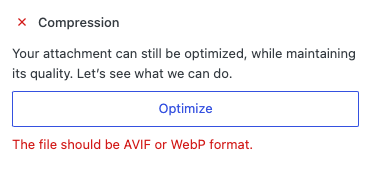
Mediapapa makes it simple, in your Media library select an image and click on Optimize. Mediapapa will compress the file in seconds while keeping the visual quality intact.
ℹ What Happens After Optimization
When you click Optimize, Mediapapa applies several smart improvements behind the scenes:
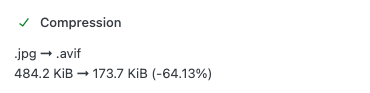
- Conversion to AVIF → Images are converted to AVIF, a next-gen format widely supported by browsers, offering up to 20% smaller files than WebP while preserving sharpness and colors. This improves performance, SEO scores, and Core Web Vitals.
- Advanced compression → Reduces file size without visible quality loss.
- Delete the previous file version → By trashed the previous heavy file, Mediapapa ensure your Library become lighter than before the optimization. (File is permanently deleted after 30 days)
🖼 Supported Image Formats
Mediapapa supports optimization for the most common formats:
- JPG/JPEG
- JPEG XL
- PNG
- GIF
- HEIC
- BMP
- TIFF
SVG files are not compressed since they are lightweight by design.