
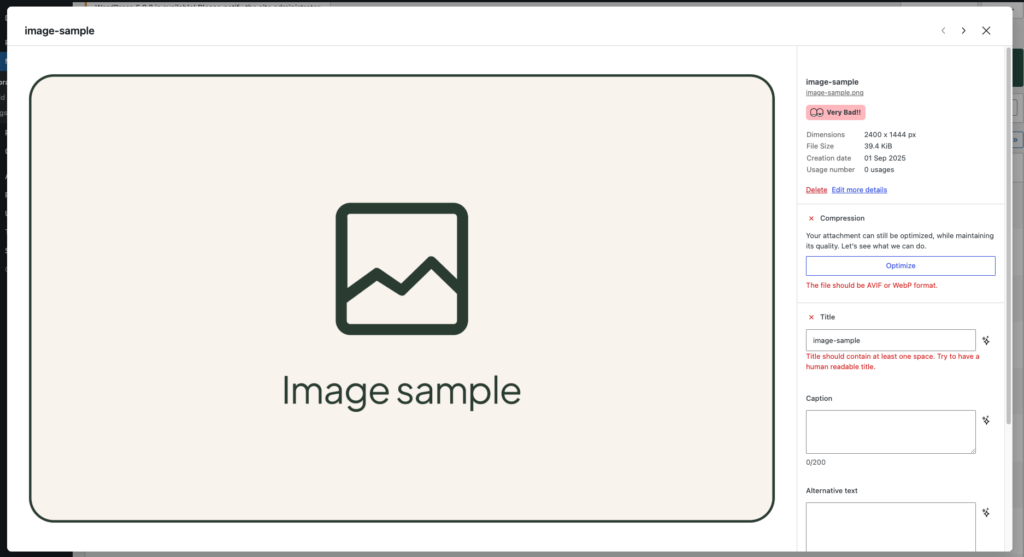
🔍 You can update media metadata in two convenient ways:
From the Media Library:
- Go to Media → Library.
- Select a media.
- In the Mediapapa panel, edit the Title, Caption, and Alt Text fields.
Directly from the Gutenberg Editor:
- Insert or select an image block in your post/page.
- Open the Mediapapa panel in the top right corner of your screen, then select an image.
- Or click on Optimize into the toolbar to Open the Mediapapa panel in the block sidebar.
- Review and edit the metadata without leaving the editor.
If the field is rightly contributed, you will have a checkmark and the panel will be closed by default.
Mediapapa currently handle images in image block, gallery block, cover block, media & text block, and the featured image from the current post.
✅ Best Practices for Accessibility and SEO
- Title → Use clear, descriptive names to help identify the file internally. A human-readable title should contain at least one space
- Alt Text → Only describe an image if that convey meaningful content, otherwise skip the alt text. It must describe the image accurately and concisely for screen readers.
- Caption → Adds context for readers and enhances SEO.
- Avoid duplicates and overly generic sentences.
Keep in mind that all this metadata will help you find your media in the future with all the keywords they contain.
🤖 AI-Powered Contribution Assistant
Mediapapa’s AI can suggest titles, captions, and alt texts for your media to save time and ensure high-quality metadata.
Activate AI Contribution Assistant
- Firstly, you must activate AI suggestions in Settings → Mediapapa → Contribution Assistance, toggle the Enable AI suggestions.
- Then verified that your Mediapapa API AI Key is valid and that you have enought AI API call left. Go in Settings → Mediapapa → Mediapapa Account for that.
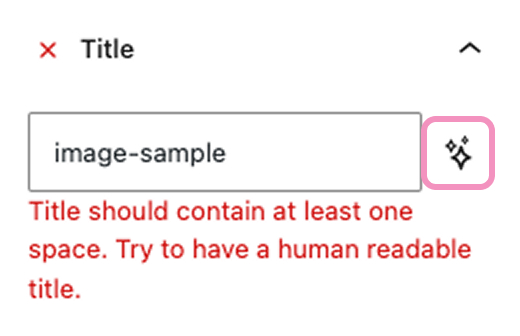
- Finally, in every Mediapapa panel, by clicking the twinkle icon near a metadata, you can ask AI to provide Alt Text, Title, and Caption.
Reviewing and Validating AI-Generated Content
- Always review AI suggestions before saving, they are recommendations, not automatic replacements.
- Edit text as needed to match your style, project requirements, or SEO strategy.
- Your changes will autosave in the Media Library, but you will have to save the page into the editor to apply every modification.