
🔑 Where to Find Your License Key (Mediapapa or AI)
- After purchase, your license key is sent to you by email ✉
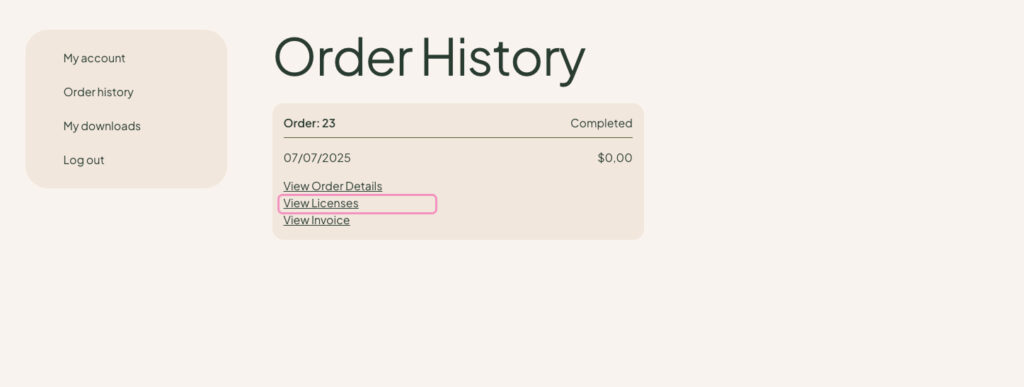
- You can also retrieve it anytime from your Mediapapa account dashboard→Order history.
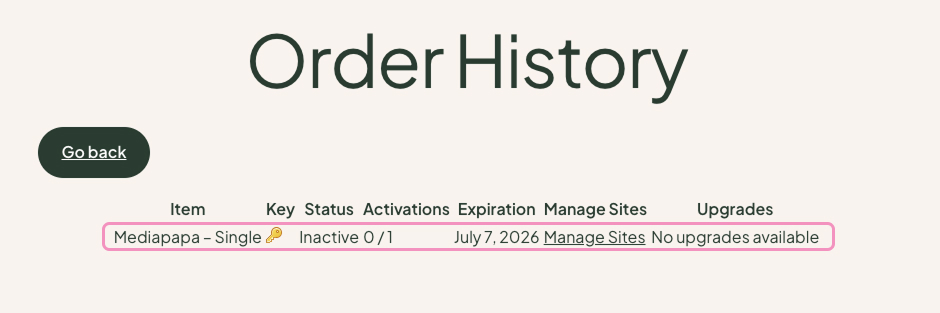
- By clicking on View licenses of each order
- Then by clicking the 🔑 emoji on each line
⚙ How to Activate the License Key
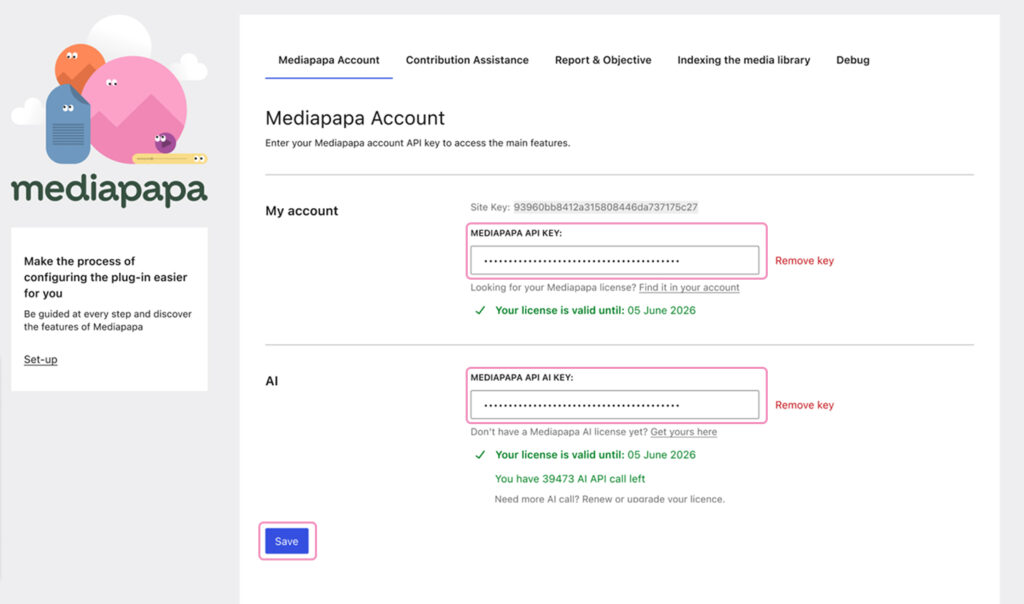
- In your WordPress dashboard, go to Settings → Mediapapa → Mediapapa Account.
- Copy your license key from your email or account dashboard.
- Paste it into the Mediapapa API Key field or the Mediapapa API AI Key one.
- Click Save and it’s done ✅🥳
Mediapapa will tell you how much time is left for your licence & the number of AI call left if it’s an AI Licence Key. All features will now be available in your Mediapapa dashboard.
❌ Troubleshooting
If activation doesn’t work:
- Double-check that your key is correctly copied (no spaces).
- Ensure your WordPress site can connect to external servers.
- Verify that your license is active in your Mediapapa account.
If the issue persists, please contact our support team ✉🛟