

Everyone is talking about using AI to create content faster. Generate alt text in bulk. Summarise posts. Translate pages automatically. The WordPress ecosystem is filling up with tools promising to do all of this for you.
There is just one problem. Most WordPress sites are not ready for it.
Not because of their CMS. Not because of their hosting. Because of their media library.
What does enterprise research reveal about WordPress AI readiness?
In late 2025, Human Made and WordPress VIP published the AI Readiness Report, surveying 99 senior digital leaders about AI readiness in enterprise organisations. The findings are worth reading carefully, even if your site is not enterprise-scale.
65% of respondents described their CMS content architecture as only partially structured. Just 22% called it fully structured and modular. And when asked whether their CMS acted as a content orchestration layer rather than just a publishing platform, only 37% agreed.
65% of enterprise teams say their CMS content architecture is only partially structured for AI.
Source: Human Made and WordPress VIP AI Readiness Report, 2025
The report is clear on what this means: AI requires well-structured content inputs to deliver reliable outputs. Without clean, tagged, connected content, automation produces noise, not results.
WordPress sites face this exact problem, concentrated in one place most teams never think to look.
What does native WordPress actually give you for media management?
WordPress gives you a powerful publishing system.
The native media library lets you upload files, browse them by date, search and attach them to content. That is roughly where it stops. There is no mechanism to flag duplicates. No way to know which files are still referenced across your posts, templates, page builder blocks, ACF fields or option tables. No scoring system for file health. No bulk metadata tools. No warning when you delete a file that is still in use on twelve pages.
This is the structural architecture, not a work-in-progress component waiting to be improved in future WordPress releases. The media library was built as an attachment manager, not a media governance layer. Over years of publishing, the result is predictable: a library that grows without ever being audited.
A scan of a typical mid-size WordPress site reveals files with generic upload names like IMG_4892.jpg, images missing alt text across an entire year of posts, multiple versions of the same hero image uploaded at different times and attachments belonging to posts deleted two years ago that are still sitting in the filesystem with no reference anywhere on the site.
This is not a failure of discipline. It accumulates quietly because nothing surfaces it.
Why is the media library the least structured part of your site?
Now layer AI on top of that. An AI tool asked to generate metadata for your library will work from whatever it finds. Poorly named files, missing context, broken references. The output reflects the input.
Bulk alt text generation on a library where 60% of filenames are camera roll timestamps produces meta titles that are technically present but editorially useless. AI image tagging applied to duplicates tags both copies independently, creating inconsistent taxonomy. Metadata enrichment tools trained to infer content from filenames cannot infer anything from copy-of-banner-final-v3-real-final-version-nope-but-this-time-yes-maybe-bis.jpg.
The structure the AI needs to do its job well is exactly what the native media library does not provide.
What does AI readiness actually require at the content layer?
The report frames AI readiness across five pillars:
- content architecture,
- governance and control,
- operational capability,
- platform flexibility,
- and strategic alignment.
The first three map directly onto the media library problem.
Content architecture requires modular, tagged, reusable content. Every untagged image is a gap in that structure. Every duplicate is noise the system has to work around.
Governance and control requires knowing what you have and where it is used. You cannot govern what you cannot see. Without a usage index covering posts, page builders, theme templates, widgets and option tables, you cannot make safe decisions about what to keep, replace or remove.
Operational capability means your workflows are AI-augmented without being AI-dependent. Bulk metadata generation only works when files are organised well enough for the output to be trustworthy. A chaotic library means manual corrections eat back every hour the AI was supposed to save.
The report puts it plainly: 63% of enterprise leaders are prioritising AI workflow integration in the next 12 to 18 months. The prerequisite for that integration, at the content layer, is structured, clean, connected media.
What is the practical starting point?
Before any AI tool touches your media library, three things need to happen, in this order.
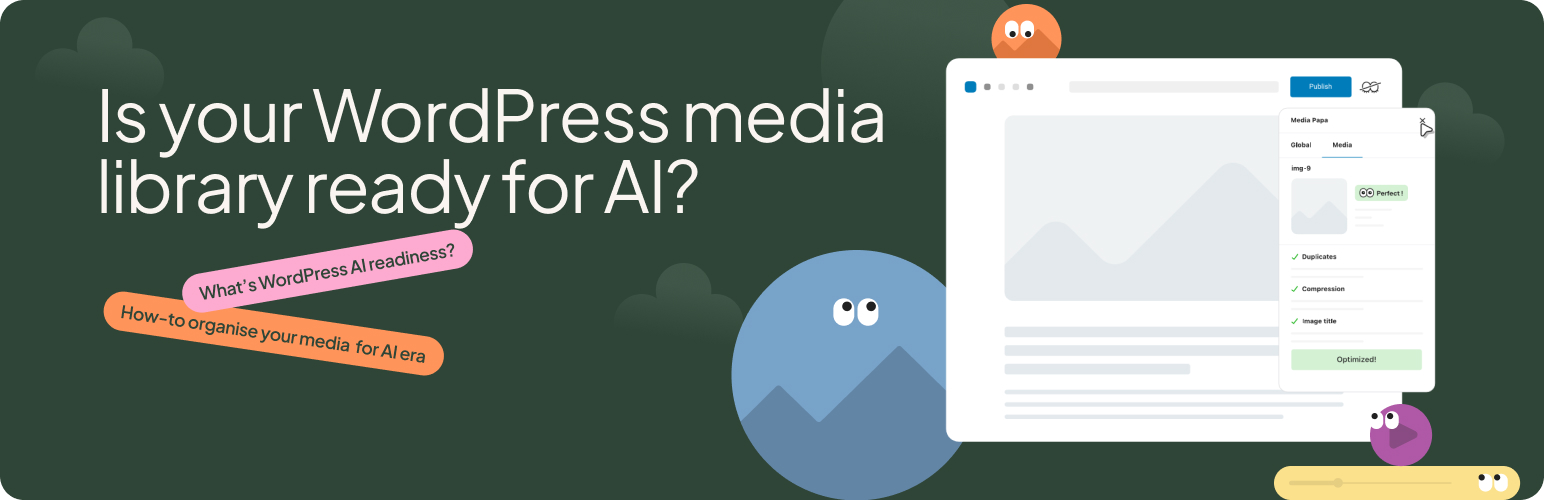
Scan it. Run a full index with Mediapapa. You need to know the actual state of your library: status and usage. Each media file will display a Media Score, and you will see which files are unused, which are duplicates, which are missing metadata entirely. Most teams are surprised by what a scan reveals. Files they thought were deleted. Duplicates created by repeated uploads across different users. Entire post categories where alt text was never added.
Clean it. Scanning the media library is the first pass. Deleting isolated files, deduplicating items whenever possible will then be easy. Duplicates inflate storage, slow queries and harden automation. Cleaning your media library removes the noise before AI tools have a chance to work on your site.
Tag it. Filenames, alt text, captions, taxonomies. This is what Mediapapa AI helps with, but do this after the library is clean enough for the output to be trustworthy (and to save your tokens). Applied to a structured library, bulk metadata generation is effortless: the output is clean enough to publish without much manual supervision. Applied to an unaudited one, it produces unusable output.
This is the sequence that makes AI integration reliable.
Frequently asked questions
Technically yes. In practice, the output quality degrades significantly. AI metadata tools infer context from filenames, existing alt text and surrounding content. If those inputs are missing or inconsistent, the generated metadata will be too. Cleaning the library first is what makes AI output usable without manual correction on every file.
There is no universal threshold, but a useful working rule is: resolve all duplicate files and ensure every file has at least a descriptive filename before running bulk AI tagging. Alt text and captions can be generated by AI, but the filenames and taxonomy structure need to be in place for the AI to have enough context.
For most WordPress sites, a full scan completes in a few minutes. Larger libraries with tens of thousands of files take longer, but the scan runs in the background and does not affect the front end of your site.
Cleaning removes what should not be there: duplicates, unused files, broken references. Tagging enriches what remains: alt text, titles, captions, taxonomy terms. Doing them in the wrong order means you invest in tagging files you will later delete, and the AI has to work around the noise the duplicates create.
No. Libraries accumulate on any site that publishes regularly. A three-year-old blog with one editor can have hundreds of unused attachments and duplicate uploads. Scale changes the volume, not the problem.
According to the WebAIM Million report for 2024-2025, approximately 54% of images across the top one million homepages have no descriptions at all. This is a structural issue that persists across the web, and WordPress sites are no exception.
Yes. Mediapapa AI works on all plans, including Free. You can purchase AI credits separately or use the credits included with Pro plans. The scanning, unused media detection and Deletion Warnings that prepare your library for AI are all available in the free plugin.
Further reading
- The AI Readiness Report: 5 key takeaways (Human Made, 2025) or 2025 AI Readiness Report (WordPress VIP), the choice is yours! 😉
- How usage tracking works in Mediapapa
- Understanding Library Health and Media Score

